Streamlining tour operations with a self-service CMS
Weekly tour updates required a developer. A CMS rebuild that took the dev out of the loop entirely.
| Timeline | 2021–2022 |
|---|---|
| My Role | Engineering, UX design |
| Area | Content operations, Self-service CMS, Ops tooling |
| Tech | Gatsby, Netlify CMS |
| Link | realgoodtouring.com |
Challenge
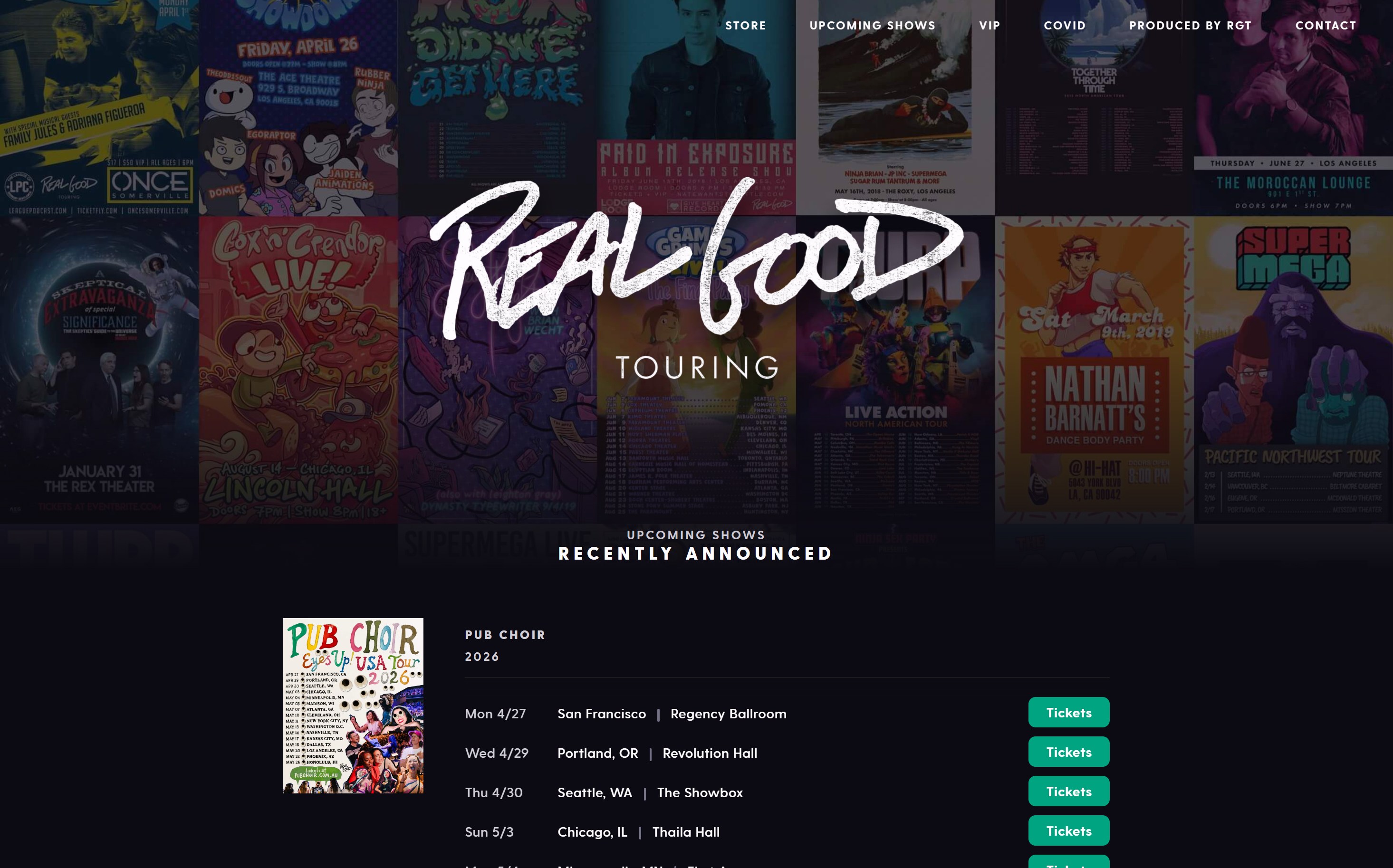
Real Good Touring's site was static HTML hosted on an FTP server. Every new tour date, venue change, or sold-out flag went through the same loop: someone emailed me, I made the edit, and redeployed the site. Ticket announcements often needed to go live at a specific time which meant coordinating a deploy window on top of everything else.
With content edit requests coming in multiple times a week, it was a bottleneck for both development and the business. The inefficiency was clear enough that I pitched moving to a CMS-driven workflow.
Approach
I chose Netlify CMS over heavier options like WordPress or Contentful. The team didn’t need a powerful content platform — they needed a small, scoped editing surface they could use without training. Netlify CMS kept things simple: Git-backed content, free hosting, zero infrastructure to maintain.
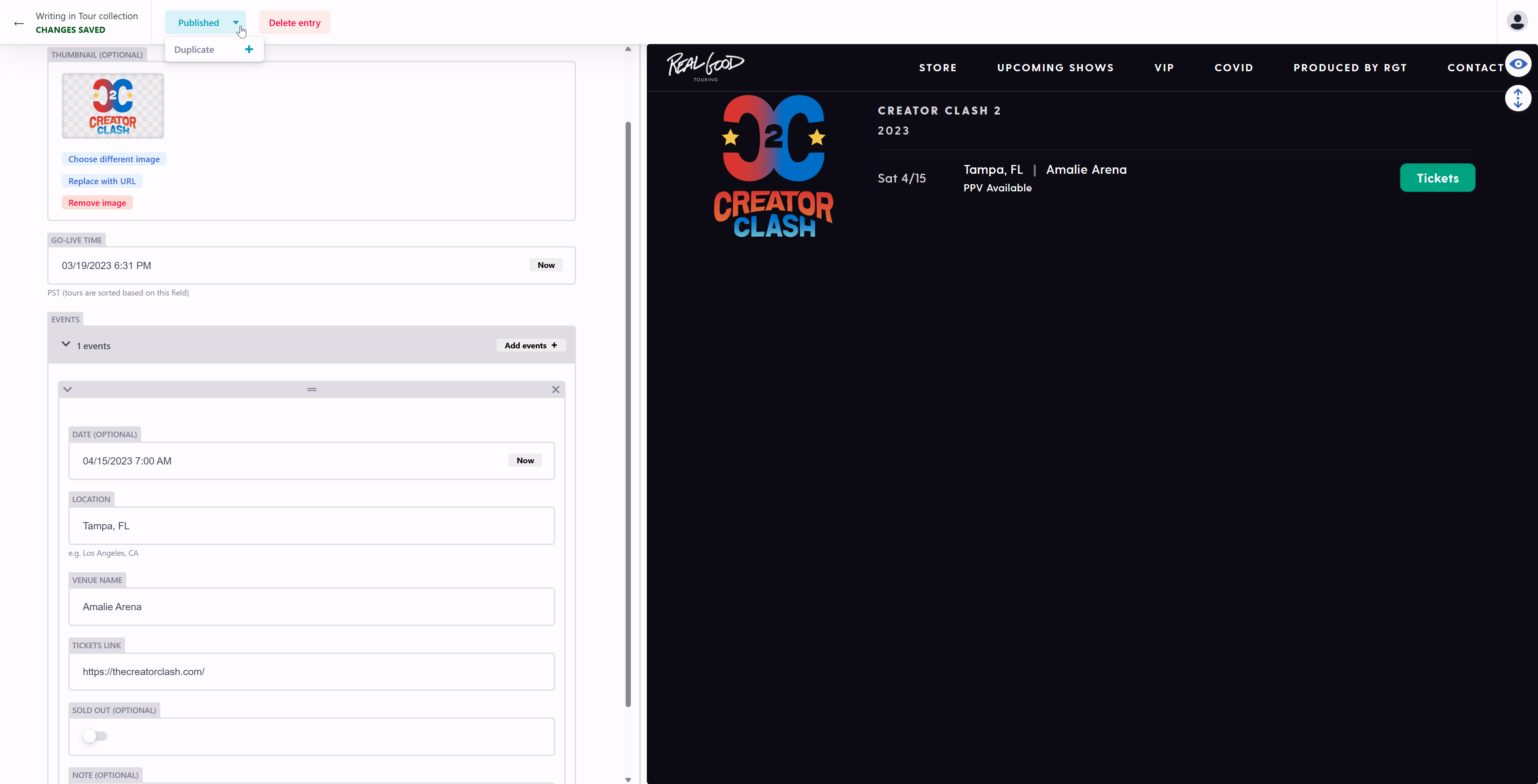
I modeled the content around how the team already managed data to keep the learning curve minimal. Tours were the top-level object with dates and venues nested beneath, plus first-class fields for ticketing links, sold-out flags, talent media, and a scheduled go-live time so editors could queue announcements to publish at a specific hour.
Images were handled automatically — the team could upload talent photos and promotional art at whatever size they had, and thumbnails were generated and compressed at build time. One less thing for editors to think about, and the site stayed fast without anyone managing it.
I deliberately skipped approval workflows. The team was small enough that trust was sufficient. Instead of governance, I added date/time validation with timezone hinting and a real-time preview provided just enough guardrails to catch the errors that actually happened.
Impact
- Publishing went from a multi-step developer handoff to a 2-minute self-serve update the ops team ran on their own.
- Eliminated ~$6k/year in recurring developer cost. The 1–2 hours/week of contracted dev time that went into routine updates dropped to zero after launch.
- No publishing errors reported after launch — the validation and preview step caught what a heavier approval process would have.